Reading h5 DataFrame for pywr-scenarios
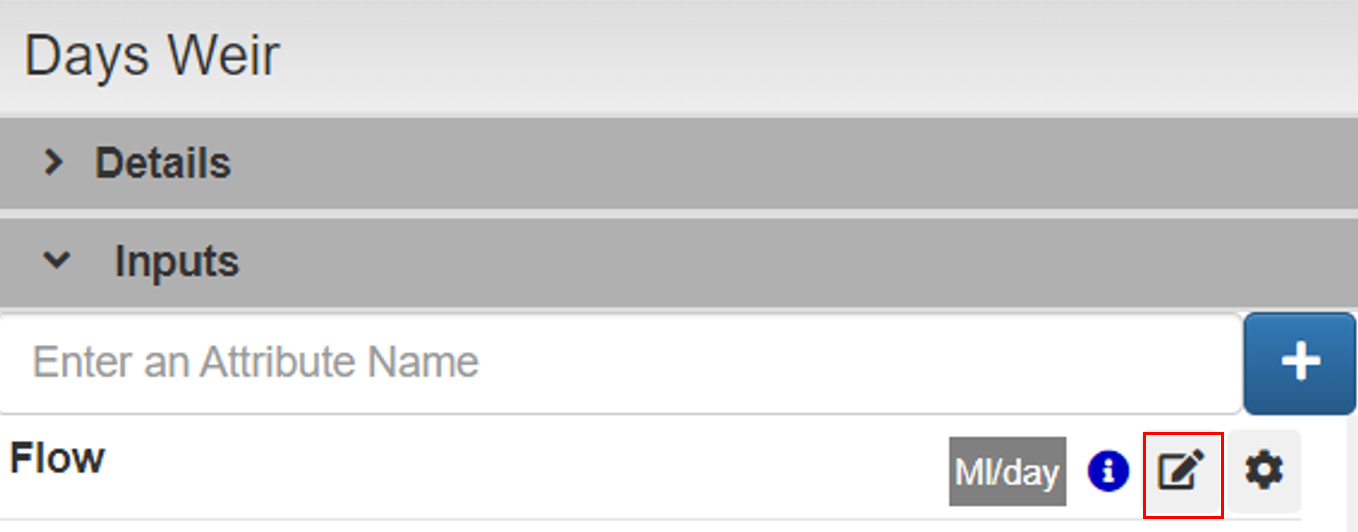
Go to the catchment node Days Weir, click Edit Flow
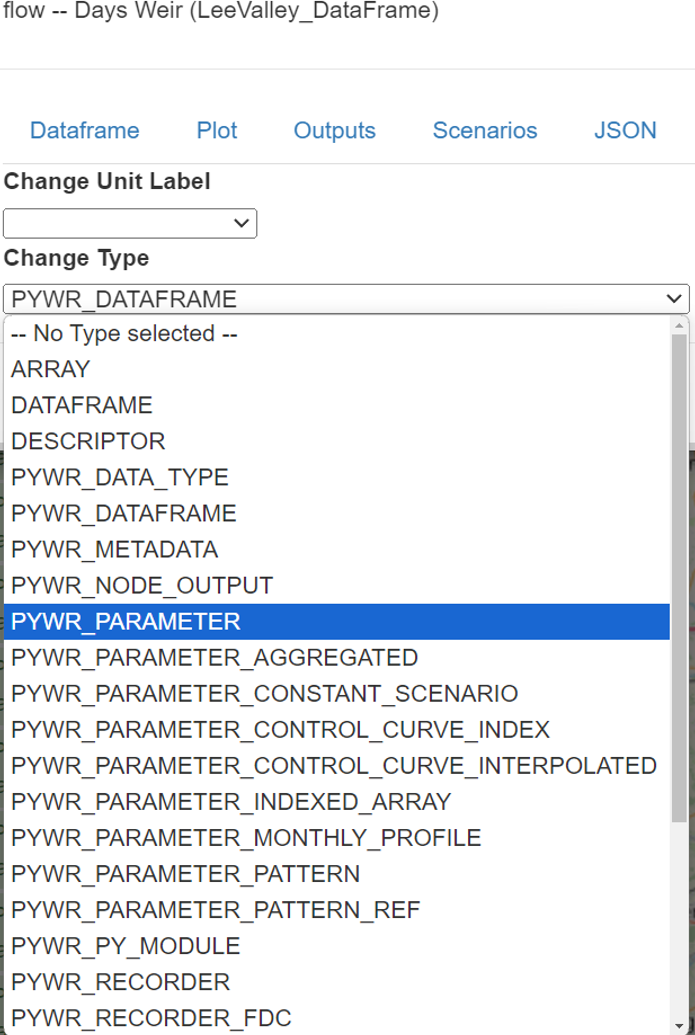
A new window will pop up, select PYWR_PARAMETER and click Save
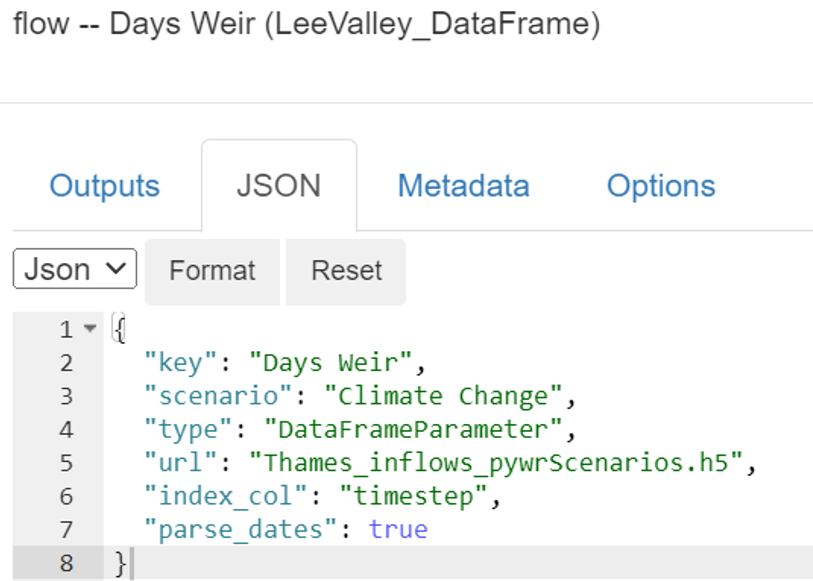
Paste the following configuration and Save
{ "key": "Days Weir", "scenario": "Climate Change", "type": "DataFrameParameter", "url": "Thames_inflows_pywrScenarios.h5", "index_col": "timestep", "parse_dates": true}It should look like the following image
Repeat the procedure for catchment Lower_Thames using the following configuration
{ "key": "Lower Thames", "scenario": "Climate Change", "type": "DataFrameParameter", "url": "Thames_inflows_pywrScenarios.h5", "index_col": "timestep", "parse_dates": true}Results
Section titled “Results”As the total number of simulations is four, this is because we are using a single pywr-scenarios setup for Climate Change, which contains 4 scenarios. Each of these scenarios will run separately, and the result of all 4 simulations will be displayed each output result, as shown below
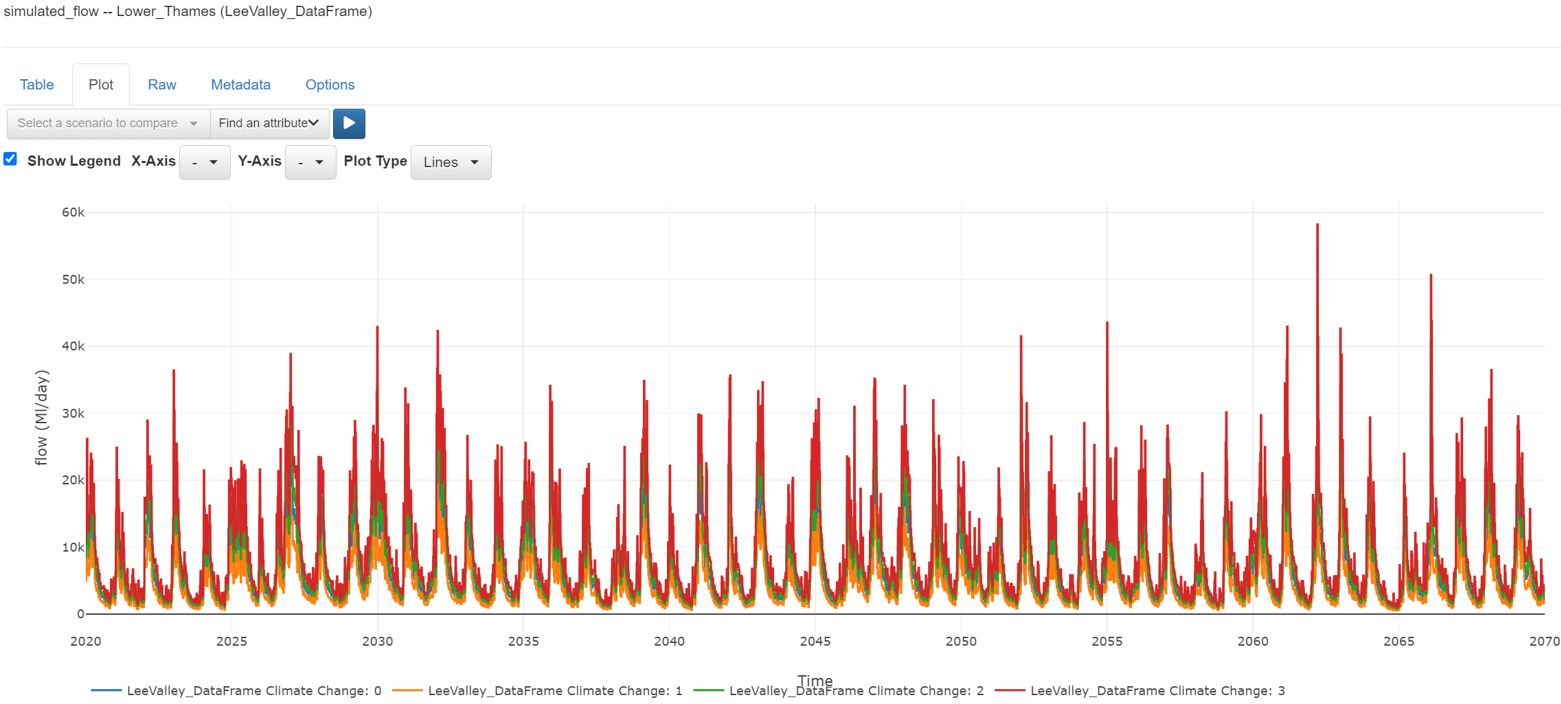 simulated_flow (Lower_Thames)
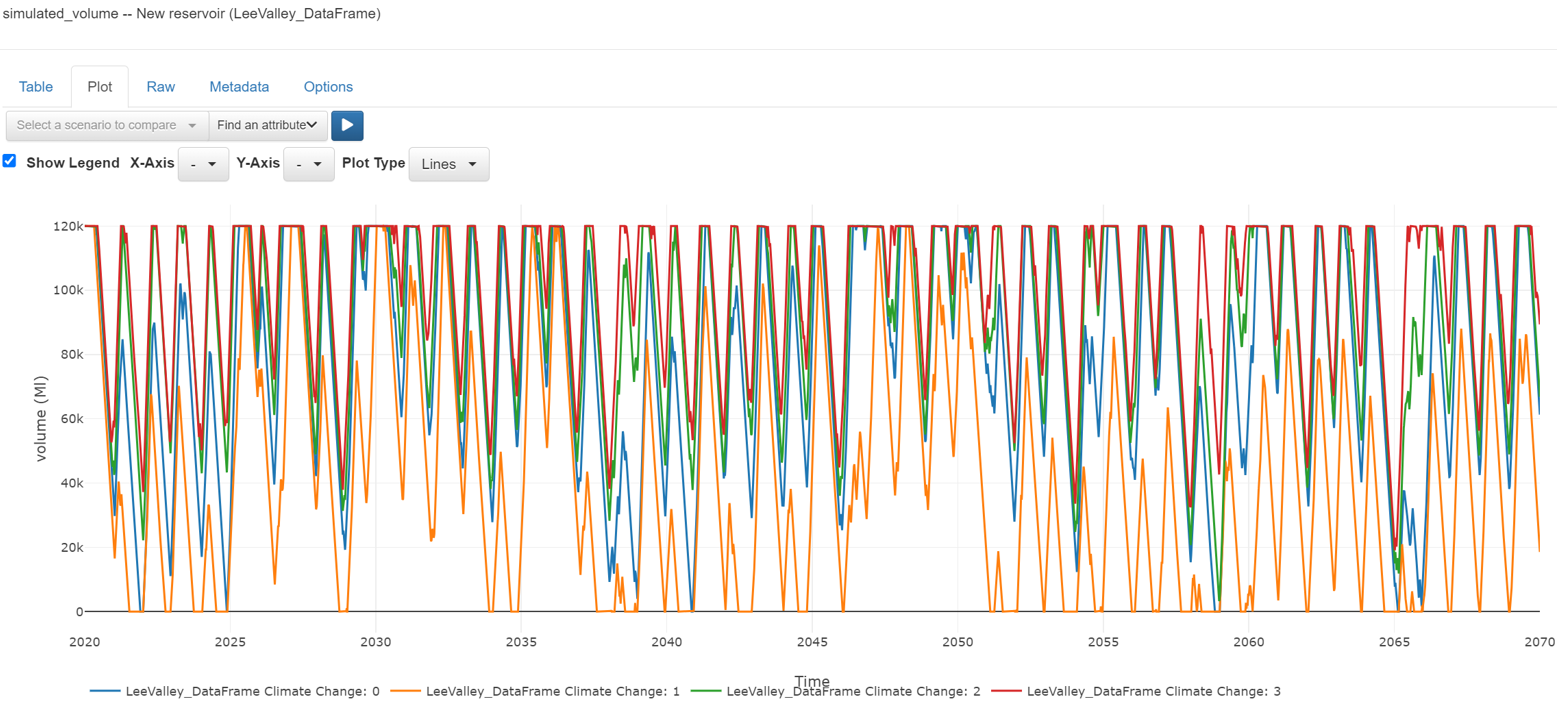 simulated_volume (New Reservoir)