Recorders
This page describes the process of creating a new Recorder in WaterStrategy and a selection of the most commonly used Pywrrecorder types, and most commonly used attributes. The full list of built-in recorders and their exhaustive list of attributes are here.
1. Creating a Recorder in WaterStrategy
Section titled “1. Creating a Recorder in WaterStrategy”In a Network page, click the ‘Recorders’ Tab:
 CLick the ‘Recorders’ Tab
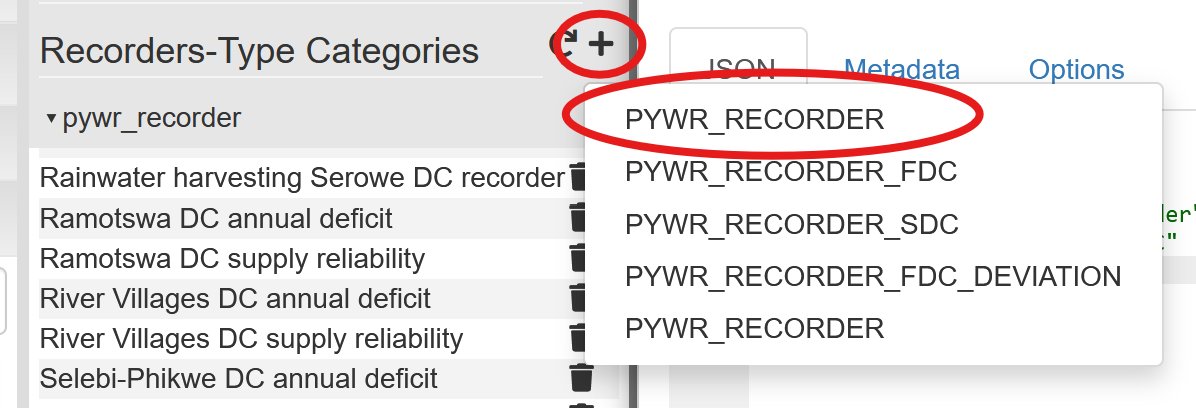
Next to the ‘Recorders-Type Categories’ Text, click the ’+’ button and select ‘PYWR_RECORDER’:\
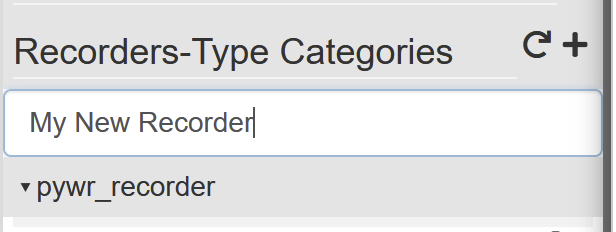
Enter the name of your recorder. This can be anything you like, but must be unique within the network.
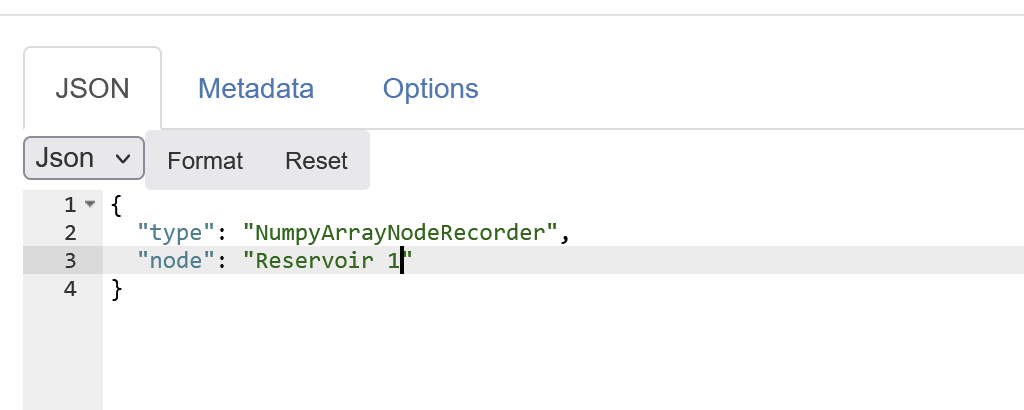
Populate the recorder in the JSON editor:
2. Recorder editors in WaterStrategy
Section titled “2. Recorder editors in WaterStrategy”Currently, there are two different ways to input a Recorder in WaterStrategy. …
3. NumpyArrayNodeRecorder
Section titled “3. NumpyArrayNodeRecorder”Recorder for timeseries information from a Node. API Reference
This class stores flow from a specific node for each time-step of a simulation. The results of a recorder are output on the Network Attributes panel, and will be named ‘simulated_<recordername>’
3.1. Attributes
Section titled “3.1. Attributes”| Name | Description | Required | Default value |
|---|---|---|---|
| type | numpyarraynoderecorder | Yes | None |
| node | Name of the node to record | Yes | None |
| temporal_agg_func | Optional | mean | |
| agg_func | Optional | mean |
3.2. Example
Section titled “3.2. Example”{ "type": "NumpyArrayNodeRecorder", "node": "Reservoir 1", "temporal_agg_func": "mean", "agg_func": "mean"}