Adding a Demand
In this section an output node representing a municipal demand will be added to the system which will draw water from the reservoir.
Adding an output node
Section titled “Adding an output node”Add an output node to the system which will represent an urban demand that wil abstract water from the reservoir. Rename the node to ‘Example demand’.
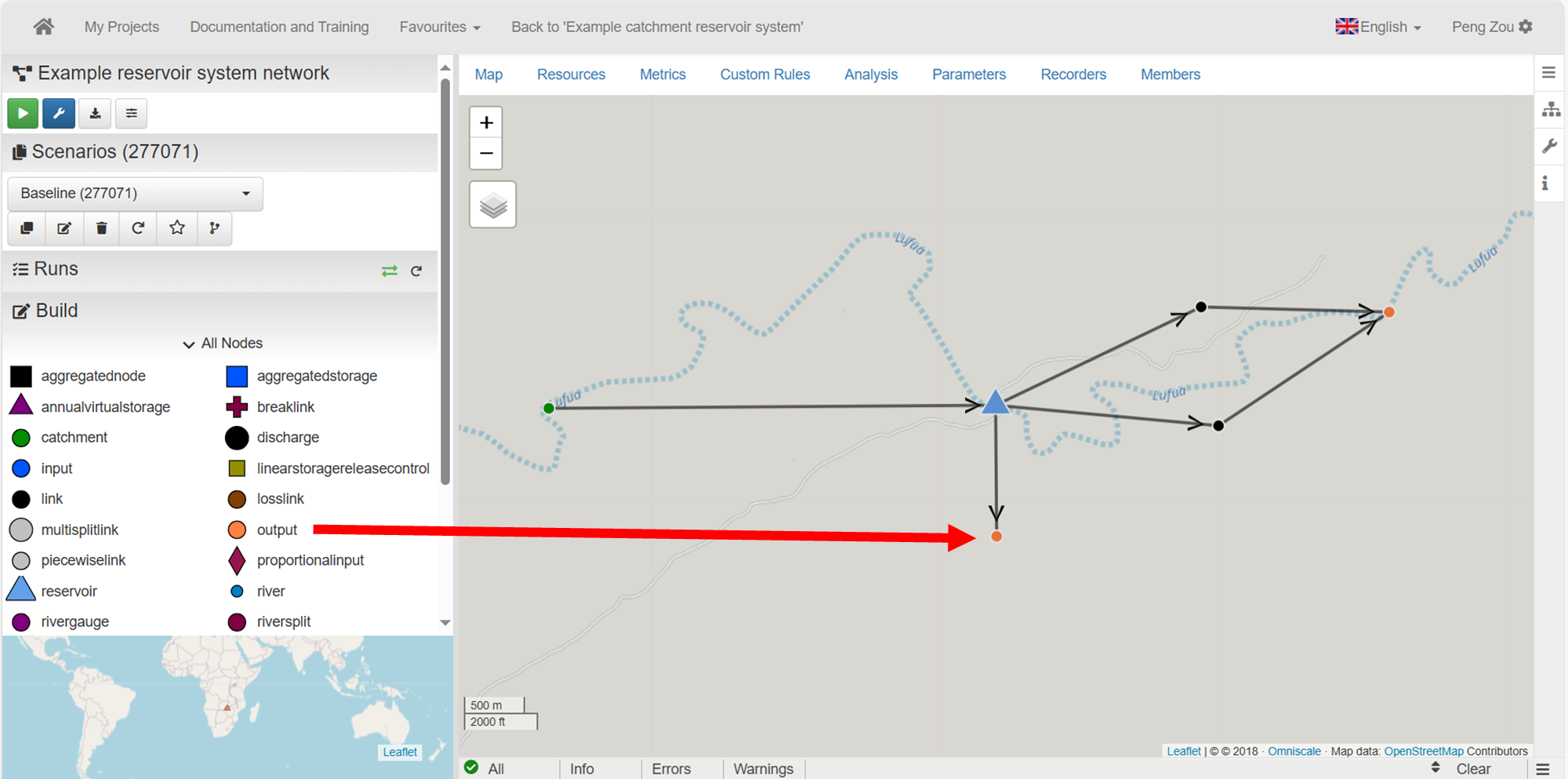 Adding an output node as a demand
Baseline demand
Section titled “Baseline demand”In the Baseline scenario set the following attributes on the Example demand node:
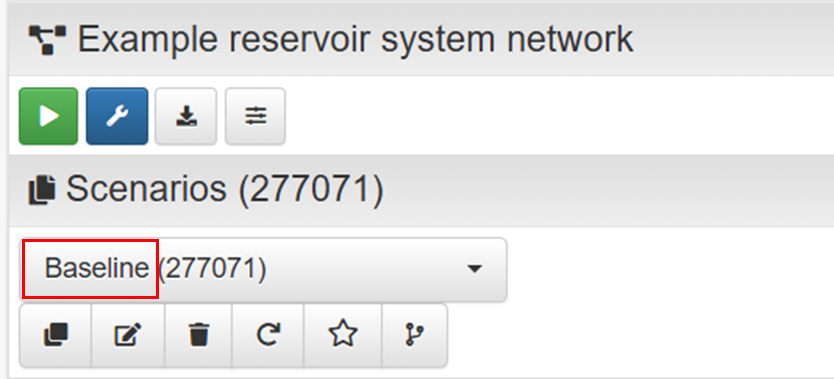 Baseline scenario
- max_flow = 0. This represents a deamnd of 0 Mm3/day.
- allocation_penalty = -1000. This represents a high priority for water allocation
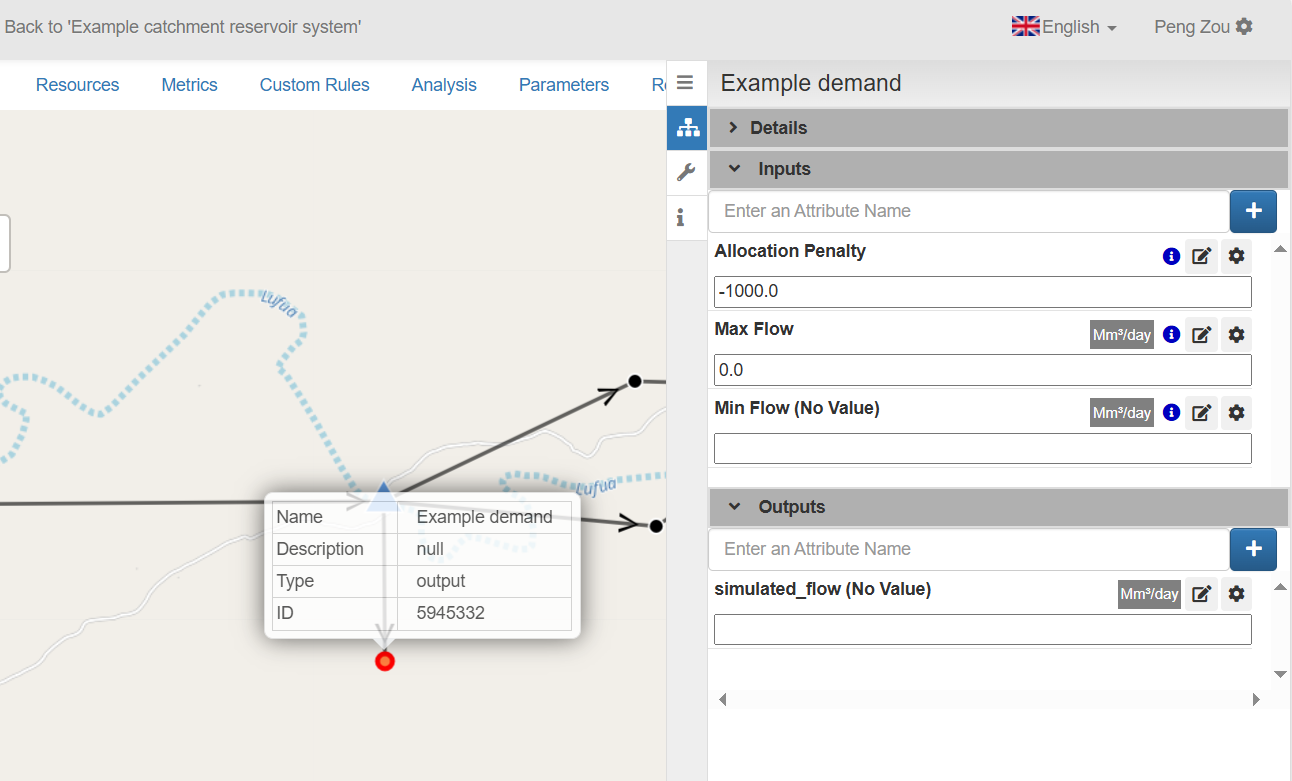 The attributes defined on the Example demand node
Create a new scenariao
Section titled “Create a new scenariao”Create a new scenario called ‘With demand’. For a reminder on how to create a scenario please follow the link below.
Demand in the new scenario
Section titled “Demand in the new scenario”In the ‘With demand’ scenario, set the max_flow of the Example demand to 0.1 Mm3/day and run this scenario  .
.
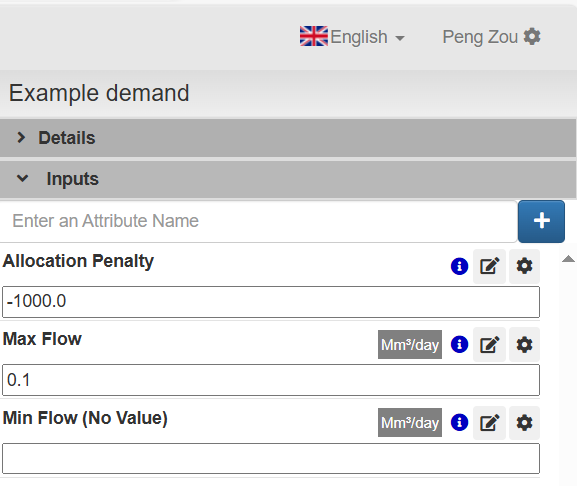 Example demand
View and compare the reservoir volume
Section titled “View and compare the reservoir volume”View the simulated_volume of the reservoir in this scenario and compare against the baseline.
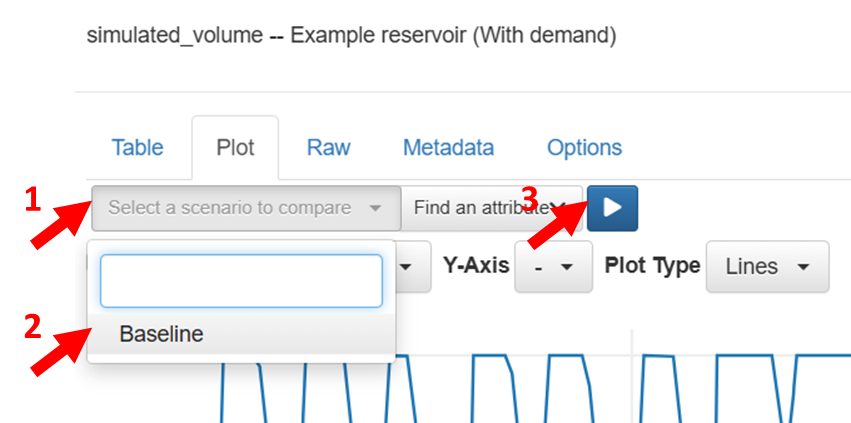 Selecting baseline to compare
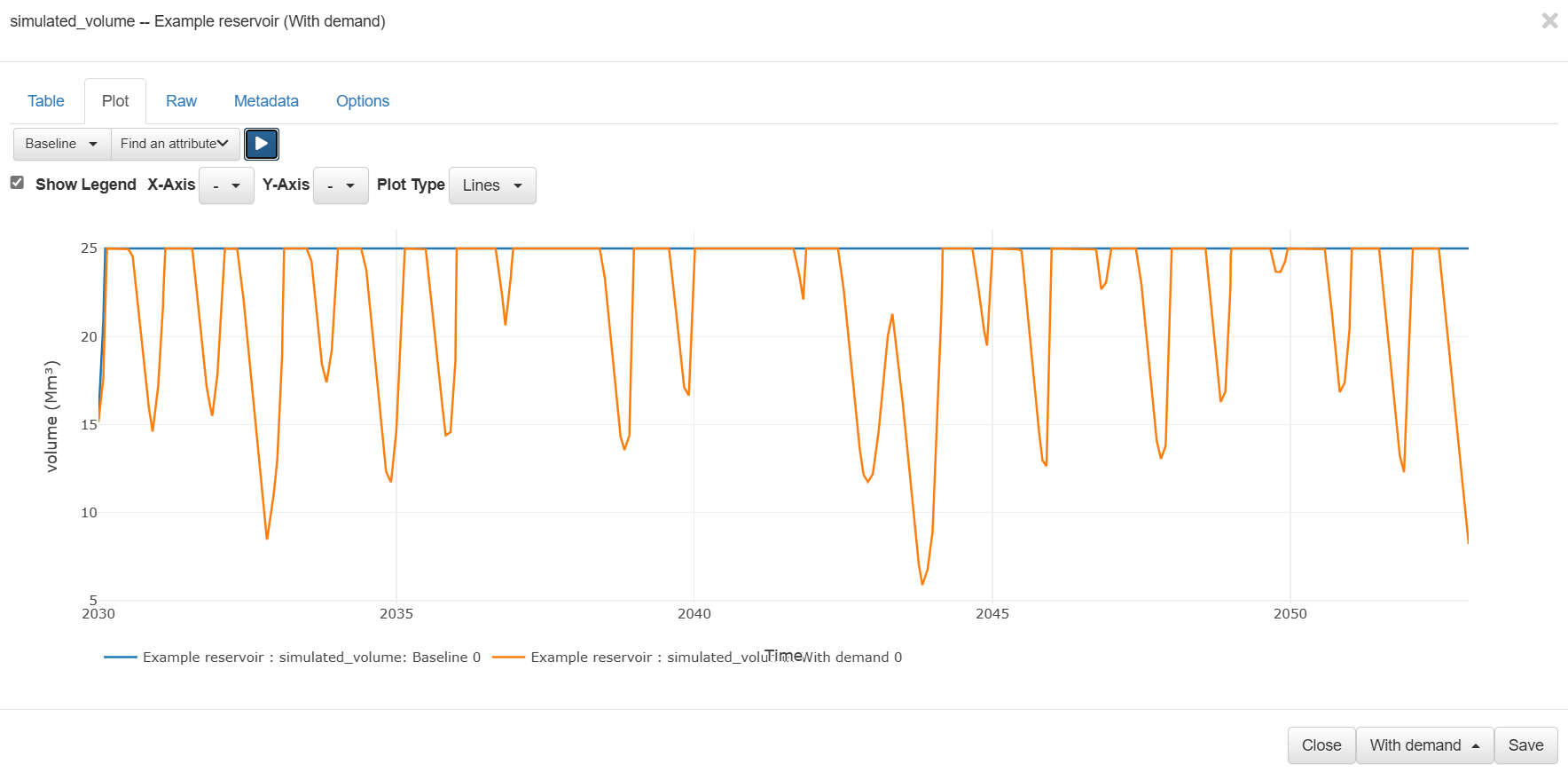 Reservoir volume comparison
Exercises and questions
Section titled “Exercises and questions ”In this case, we are modelling the ‘live’ storage of the reservoir. When the reservoir goes to 0 storage in the model there is still dead storage in the system. At the dead storage level, the remaining water isn’t able to be released.
- How high can the demand go before the reservoir empties to its dead storage?
To do this, create a new scenario and change the max_flow of the demand node and rerun the model multiple times until the reservoir reaches 0 storage.
- What is the maximum monthly spill from the reservoir in the simulation?
Hint: Look at the simulated_flow on the spill link node.
- Create a ‘Monthly demand’ scenario. Use the following video to help you implement a monthly profile demand, where the Example demand changes based on the months:
Jan-Mar: 0.1 Mm3/day
April-June: 0.06 Mm3/day
July-Sept: 0.07 Mm3/day
Sept-Dec: 0.09 MM3/day